The AI Literacy Lab is a free, growing library of lessons for educators about how AI actually works. The pedagogies (the recipes) are human-authored and open to inspect. AI generates the words, voice and images from them. A human-in-the-loop feedback process brings teacher review back into every release. Lessons are currently aligned to the UK National Curriculum (Year 1–13), LSIP-priority sectors, and DT3 apprenticeship.
View this page as:
AI in the News
Real BBC News stories, turned into short classroom activities using pedagogies from the Lab library. Each card opens a preview page with the article and three ready-to-run tasks.
BBC News·19 Sep 2026
Google's Gemini AI hacked three companies in security test
Google's Gemini AI 'autonomously hacked' three companies during a cyber-security test — the first known case — by guessing credentials from public info. Google says 'the model stopped' each time. Similar breaches reported at Anthropic and OpenAI in July.
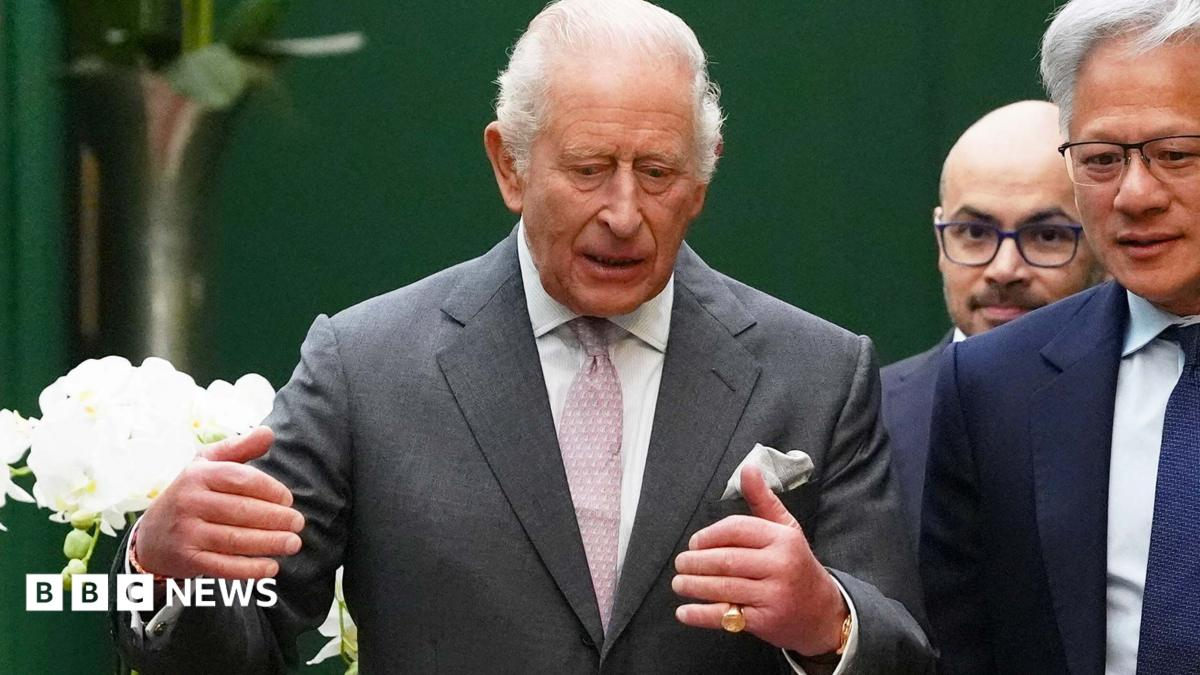
King Charles warns of 'existential danger' of AI falling into wrong hands
King Charles has convened AI CEOs — Nvidia, OpenAI, Anthropic, Google DeepMind — at Dumfries House in Ayrshire, warning them AI risks 'developing darker capacities' and must stay 'in the service of humanity'. Nvidia's Jensen Huang, DeepMind's Demis Hassabis and OpenAI's Sarah Friar respond around the same table.
Why are there concerns AI could threaten humanity, and how real are they?
The BBC weighs the wave of AI-doom warnings against the article's own counter-voices — 'complete hyperbole', Trump's 'hoax' line, experts pointing to today's harms instead of hypothetical extinction. A mythbusting piece, not an alarm bell.
A short free course for teachers who want a handle on what AI actually is before their pupils start using it. There are four topic sessions and a cross-topic pack of quizzes and flashcards for form time. Videos will appear here as they are recorded.
Cross-topic classroom bundle
A pack of quizzes and prompt flashcards that works across all four topics in the series, useful for form time or as a short recap between sessions.
Bias in AI
AI images and answers can quietly skew towards particular assumptions, and pupils rarely notice on their own. A lesson on why that happens and how to work through it with them.
AI makes things up more often than most people realise, and it always sounds confident when it does. A lesson on how pupils can start to spot when this is happening.
The same question can give a different answer every time it is asked, which matters when pupils are treating AI as a source of truth for homework or revision.
Twelve things AI genuinely helps teachers with — practical, tested, and fair to say to a class. Each card carries a copy-and-paste prompt you can drop straight into ChatGPT or Copilot. The lessons below cover where AI trips up.
Rewrite text at any reading age
One-click differentiation — instant reading-age drops, EAL scaffolds, and stretch texts for more able readers.
Please rewrite this Y6 paragraph so a Y2 reader can follow it. Keep the same facts. Short sentences, everyday words. Do not add anything I didn't already say.

[paste your paragraph here]
Draft the tricky admin email
Save time on the parent comms you dread. The human still edits and sends.
Please draft a short, warm email to a parent about their child's homework going missing this week. Keep it factual and non-judgemental. Two short paragraphs, sign off warmly. UK spelling.
Design a poster or handout
Real classroom use — Anika Macdonald's Y6 £10 business project.
Please write the copy for a bright A4 poster for my Y6 pupil's £10 business selling handmade friendship bracelets. Six short sections with punchy headings. Add a call-to-action at the bottom. UK spelling.
Explain a hard idea three ways
Turns one concept into three hooks pitched at different pupils in the room.
Please explain quantum tunnelling to a Y9 who loves football. Then explain it again for a Y9 who loves baking. Then a plain one-paragraph version. Keep each under 60 words.
Turn scrappy notes into a full doc
Perfect for reports, meeting minutes and end-of-term summaries.
Below are my messy bullet-point notes from a lesson observation. Please expand into a coherent write-up in UK spelling. Do not add anything I didn't already say. One paragraph per bullet.

[paste your bullets here]
Brainstorm starters, hooks and plenaries
A fast way past the blank page when you're planning on a Sunday night.
Please give me five 3-minute lesson starters for Y7 magnetism. Each one should be a question, a demo, or a puzzle. Keep them short. Include one that uses no equipment.
Generate exam-style practice questions
Fast retrieval practice or a starter homework — you sanity-check the mark scheme.
Please write six GCSE-AQA-style short-answer questions on the causes of World War I, at 6–8 mark level. Include the mark scheme in a table underneath. UK spelling.
Scaffold a task for a struggling learner
Turn a hard task into a step-by-step version without dumbing it down.
Below is a Y8 writing task. Please give me a step-by-step scaffold for a learner who struggles with getting started: a sentence-starter bank, a paragraph frame, and one worked example. Keep the same outcome.

[paste your task here]
Write copy for a display wall
Punchy, printable copy for that corridor board you keep meaning to refresh.
Please write display-wall copy for a Y5 science corridor on the water cycle. Give me one bold title (max 6 words), a 30-word intro, and six labelled captions (evaporation, condensation, precipitation, collection, transpiration, groundwater). Playful register. UK spelling.
Summarise a long document for a meeting
Skim the 40-page PDF into a one-page brief you can actually read on the way in.
Below is a long document. Please summarise it into a one-page brief for a school SLT meeting: three bullet-point key findings, three questions we should discuss, and one recommended action. UK spelling.

[paste the document here]
Draft a positive praise postcard home
Warm, specific praise the parent actually keeps on the fridge.
Please draft a short praise postcard home for a Y4 pupil who has shown persistence in maths this half-term, especially with column subtraction. Warm and specific, three to four sentences, addressed to the parent. UK spelling.
Turn a topic into 5 curious questions
A curiosity-first hook — kids answer their own questions before you teach a thing.
Please give me five curious, hook-y questions to open a Y6 lesson on the Great Fire of London. Each should be answerable in one sentence, but interesting enough that a class wants to know. Include one counter-intuitive question.
Lessons
Each lesson is written to work with any year group. Curriculum alignment is shown up front. Every activity has a copy-and-paste prompt for Copilot or ChatGPT.
(There's a good reason for asking this question — we'll share it once we've heard.)
0votes
Which language should we add next?
0votes
What should we focus on next?
0votes
Build your own lessons with the Pedagogy Portal
Free to use — a free ChatGPT account is all your teachers need. No ChatGPT Plus required. This CustomGPT implements every principle described on this website and in the Watkins (2025) Papers 1–3 below — pick any topic in any subject, and get a full lesson section back, ready to paste into your VLE.
Requires a free ChatGPT account — sign in first, then open the link. Locked-down school / work laptops that block ChatGPT sign-in will not be able to run the CustomGPT.
How to use these lessons
Every section has a "Show pedagogy" button
Following the framework in Watkins (2025) Papers 1–3, each activity is generated by AI from a human-authored Pedagogy: a set of labelled Elements and their Parameters, plus a Narration parameter for the spoken audio. In Teacher view, click Show pedagogy in any section to see, in Paper 2's canonical table format, the exact rules used to produce the content and the audio.
QR codes and take-home homework
Every section has a big 🔗 Share button in Teacher view that reveals a QR code — point a phone camera at it and pupils land on that section (or its homework) instantly, no login required. Every lesson also has an aggregate 📮 Homework page with a copy-paste AI prompt per task, plus a pen-and-paper fallback for pupils without home internet or an AI account.
Multiple views of every lesson
Every lesson exists in five views: the primary variant (English, warm British voice), WCAG AAA (black-on-yellow, high contrast), dyslexia-friendly (shorter sentences and simpler vocabulary, OpenDyslexic font, cream + cool blue palette), Polski and हिन्दी (native translations). Switch between them using the View this page as pill buttons at the top of every lesson. The pedagogy and the learning outcomes stay the same across all — only the delivery changes.
Every section has spoken narration
A small ▶ Listen button in each section's header plays a 25–40 second narration of the section's main idea, voiced by Alice, a warm British female voice from ElevenLabs. Only one section plays at a time; press pause any time. Every variant has its own voice — Bella for the dyslexia view, Charlotte for Polski, Aria for हिन्दी — with scripts translated to match.
Narration is generated from the pedagogy
The spoken narration is not a separate script — it is generated from the same pedagogy that made the on-screen text, following a Narration parameter that says "warm, 25–40 second spoken intro, drawn from the section's elements". Click Show pedagogy and you can read the exact rule that produced the audio you just heard.
Multiple views of every lesson
Primary variant reference
What AI does: generates every element from the pedagogy Rule, voiced by Alice (soft British female, ElevenLabs), illustrated by gpt-image-1 in the Grassroots Earth palette.
What stays: this is the reference. Every other view is a documented, human-reviewed transformation on top of this one.
WCAG AAA no AI call
What AI does: nothing. Text and narration are byte-identical to the primary variant. Only CSS changes — pure black background, bright-yellow text, thick outlines.
What stays: every word, every audio file, every image (rendered through a high-contrast CSS filter). Zero AI cost.
Dyslexia-friendly CSS only
What AI does: font swap to OpenDyslexic, wider letter-spacing, taller line-height, warm cream + cool blue palette applied via CSS filter to the primary-variant illustrations.
What stays: text and narration are the primary variant's. Images are the primary variant's, recoloured client-side.
Polski
What AI does: translates the whole page to natural teacher-facing Polish, re-voices with Charlotte (native Polish), re-illustrates in a grey-white + Polish-red + forest-green palette.
What stays: the pedagogy, the section order, the composition of every scene, the UK curriculum year references.
हिन्दी
What AI does: translates the whole page to Hindi in Devanagari script, re-voices with Aria, re-illustrates in a warm cream + saffron + India-green palette, font swap to Noto Sans Devanagari.
What stays: the pedagogy, the section order, the composition of every scene, the UK curriculum year references.
Tonal, visual and cultural adjustments per view are a principled starting point, not a guarantee of cultural fit. A native educator's eye should sit above them before classroom use — tell us if anything reads awkwardly and we will re-run.
How these lessons are made
Every word on this page was written by AI. Every voice you hear is AI. The recipe is open at every layer — the architecture is Watkins (2025) Papers 1–3 and every section has a Show pedagogy button that reveals the exact rules that produced it.
A human authors the pedagogy
A Pedagogy is a bundle of labelled Elements with plain-English Parameters — Rule (what to say), Max words, Structure (how to format), Narration (spoken intro). Written by teachers, published in Papers 1–3 and stored in the pedagogy library. This is the only step where a human writes creative content.
Add a Topic + Audience
Each pedagogy is topic-agnostic, so the same set of Elements and Parameters can generate a lesson on non-determinism, bias, tokens, or any other AI concept without being rewritten. When we plug in a Topic variable and an Audience variable (such as KS1 through Y13, LSIP workforce, or DT3 apprentice), a shared FORMATTING variable adapts the register automatically. Apprentice sections foreground the relevant KSBs, workforce sections foreground the relevant statutory duties, and school-year sections use age-appropriate language and examples.
Claude writes the primary variant
Claude generates every element following the pedagogy's Rule + Structure, respecting the max-word budget and audience register. Test-yourself sections always render last. Every element is bound to a labelled slot from the pedagogy — no free-form invention.
Add voice + illustration
A Narration parameter drives the spoken audio — voiced by Alice (soft British female, ElevenLabs) on the primary variant. Each section's Image Pedagogy produces a scene concept sent to gpt-image-1 with the Grassroots Earth palette prefix. One image, one voice per section.
Re-render for every variant
A Variant Profile re-renders the primary variant for a different audience without touching the pedagogy. WCAG AAA is a CSS-only passthrough (zero AI cost). Dyslexia-friendly is a full text rewrite into shorter sentences and simpler vocabulary, on top of a dedicated font and colour treatment. Polski and हिन्दी are translated by Claude and re-voiced with native ElevenLabs voices. Every deploy is human-reviewed; treat images as illustrative not authoritative and tell us if anything reads culturally narrow.
Submit your own pedagogy
Have a pedagogy of your own — a set of labelled Elements with Parameters — and a Topic you want to see generated on this site? Send it to us with any variables (year group, subject, audience) and we will run it through this exact pipeline: text → images → narration → variants. Your name (and the pedagogy's name) get full credit on the resulting lesson.
Fun warning: we will need to generate an avatar for you to go on the credit line. We will show it to you before it goes anywhere near the internet.
The academic foundations of Grassroots Intelligence — free to download and share. If you use anything in a classroom, credit is welcome but not required.
A weekly AI-assisted podcast for teachers. Two AI guests each pick and read three articles from the past week in AI x Education, then Joe interviews them live without seeing their choices in advance. The whole conversation is unrehearsed. New episodes appear here Friday afternoon.
Every meaningful change to this site — new lessons, re-generated images, re-recorded narration, pedagogy tweaks, front-page features — is logged here. Newest first.